Git worktree: your new best friend
-
- Git |
- 15 Feb, 2026 |
- 02 Mins read
Git worktree is amazing.
Seriously, if you haven’t heard of it, you are missing out.
What is git worktree?
Think of it like having multiple browser tabs, but for your git branches.
You know how you can only have one branch checked out at a time? Well, git worktree lets you have multiple branches checked out simultaneously, each in their own directory.
And no, it’s not a full copy of the entire repo. Git is smart enough to share the .git folder between worktrees. So it’s more like the diff between main and your worktree branch. Storage friendly!
Use case 1: Understanding a new codebase
Here’s the situation. You just joined a new company/team.
The codebase is huge. You’re swimming in unfamiliar code.
Wouldn’t it be great if you could scribble comments everywhere? Like “ah this function does X” or “TODO: ask senior dev why this is written this way”
The problem
You don’t want your personal learning comments to end up in your pull requests.
Some might resort to git add --patch and painstakingly hunk out the commented sections every single time.
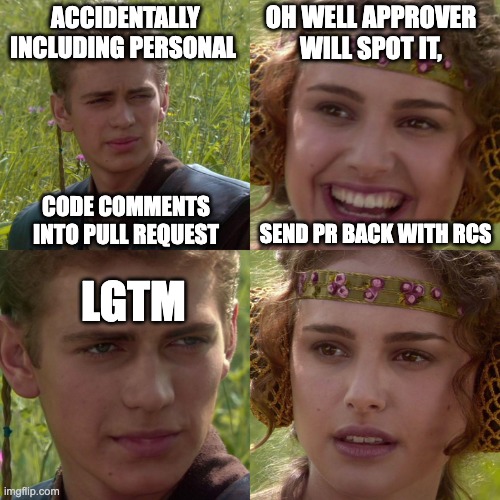
Tedious. Painful. Error-prone.
Others might just use a separate branch for their comments. That works too.
But then you have to keep switching branches. And if you want to reference your comments while working on a feature branch? Good luck.
Enter git worktree
# Create a worktree for your "study notes" branch
git worktree add ../myproject-notes study-notes
Now you have:
myproject/- your main working directorymyproject-notes/- your comment-filled study branch
Open up a separate instance of your IDE (vim+tmux ftw because it’s really lightweight) and boom, you can reference your notes while working on the actual code.
Comment to your heart’s content!
But wait.. what about upstream changes?
Some of you might ask: what happens when we do git pull or git fetch origin?
No problem. You can merge in the newly pulled upstream code easily.
Even better, you could do git rebase, and replay your commits (all your precious comments) over the freshly pulled code!
# In your study-notes worktree
git fetch origin
git rebase origin/main
Your comments stay on top. The new code flows in underneath. Beautiful.
Use case 2: A separate directory for staging/testing
Depends on whether or not you have the need for this.
But i found it helpful to have a separate worktree just so I can pop in/out to do some quick tests.
# Create a worktree for testing
git worktree add ../myproject-staging staging
Now you can:
- Run your app in staging worktree
- Make code changes in main worktree
- Switch to staging, pull changes, test
- No more “wait let me stash my changes” dance
Cleaning up
When you’re done with a worktree:
git worktree remove ../myproject-notes
To see all your worktrees:
git worktree list
TL;DR
Git worktree = multiple branches checked out at once in different directories.
Use it for:
- Study notes on a new codebase (comment without polluting PRs)
- Quick staging/testing environment
Try it out. Your future self will thank you.